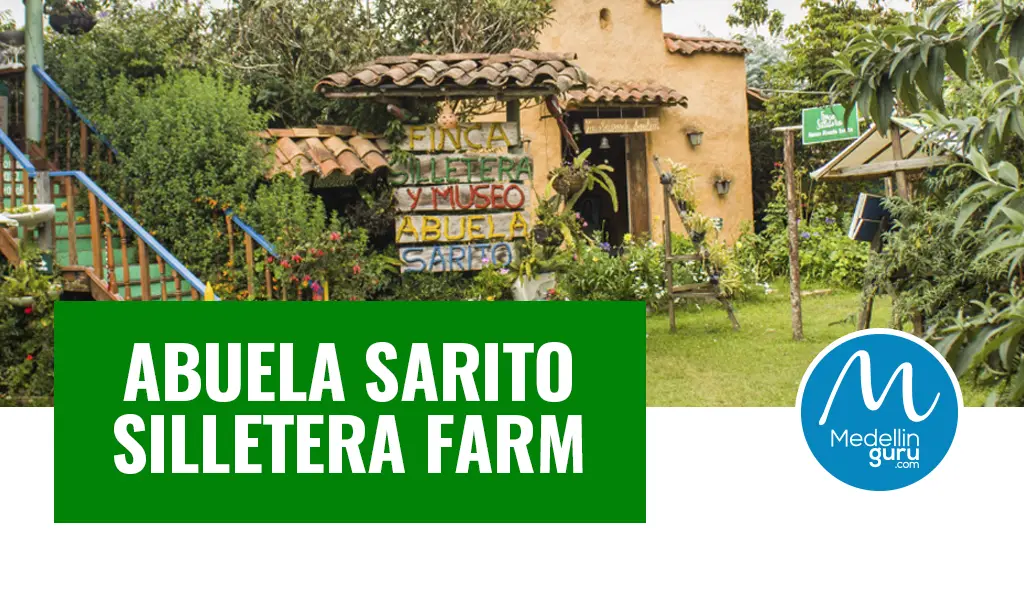
The silletera farms of Santa Elena are the cradle of a peasant tradition that fills the streets of Medellín with pride, life, and color every year during the Medellín Flower Festival. Visiting these farms allows you to experience a history dating back to the mid-19th century, when silleteros traveled to Medellín to offer natural and agricultural products to sustain the growing city. This practice later evolved, allowing flowers to take a special, leading role in parks, plazas, streets, and cemeteries, transforming those who carried them on their backs into symbols of sacrifice and of a profound bond with the land and Antioquian roots.
One of the emblematic places that witnessed the growth and consolidation of the silleteros as protagonists of the Flower Festival is Finca Silletera Abuela Sarito, which you will discover next, and which opens its doors to offer you the ultimate Medellín flower festival experience.
What Is the History Behind Abuela Sarito Silletera Farm?
Finca Silletera Abuela Sarito is the continuation of a family legacy that has preserved the silletera tradition for generations. For 80 years, and since 2010, as a space opened for visitors, the farm has stood as a landmark in Santa Elena, established by María del Rosario Gutiérrez, affectionately known as “Sarito” for their neighbors around.
Abuela Sarito dedicated herself full-time to agricultural work, cultivating crops like fava beans, corn, and petacos (a local bean variety). As a skilled flower grower and vendor, she kept a garden home to blue agapanthus, Star of Bethlehem, and various carnations, all of which reflect the vibrant flora central to the Medellín Flower Festival. She also maintained pastures for her cows and harvested herbs, squash, and moss, foundational elements of the heritage that shaped her legacy.
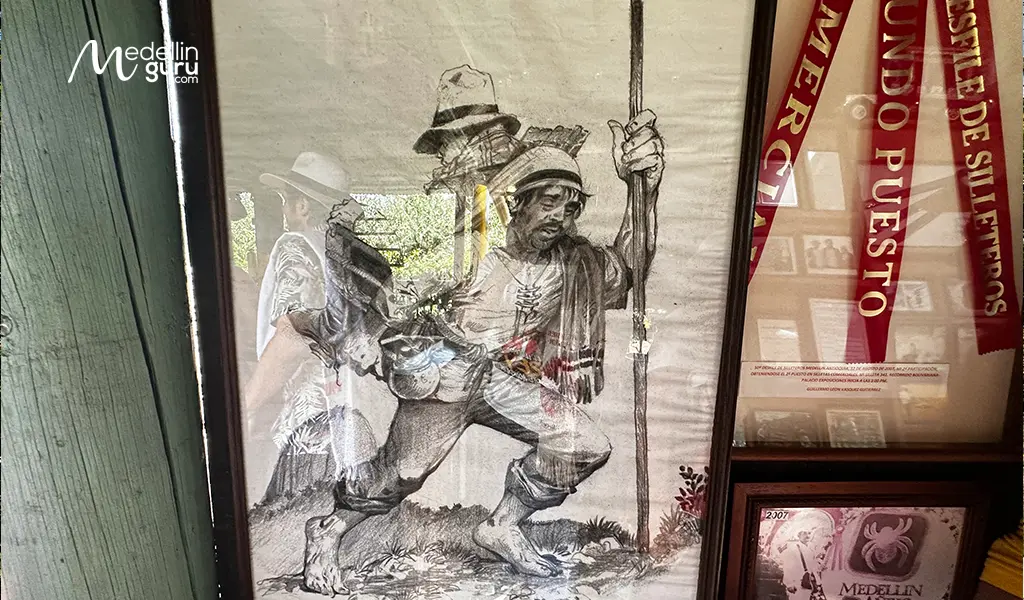
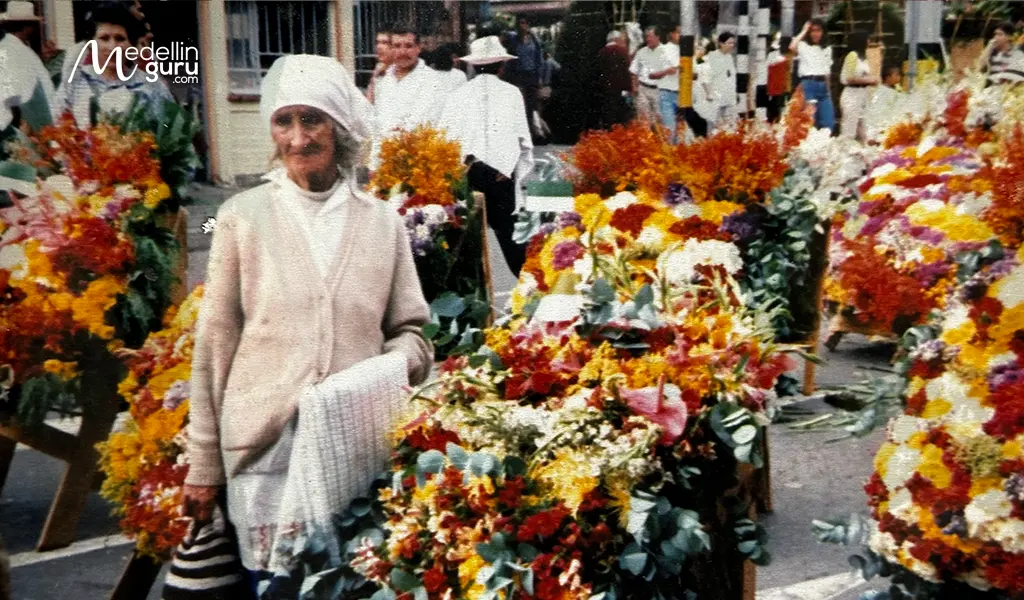
Abuela Sarito was one of those who frequently made the journey to Medellín on foot, traveling back and forth to deliver her weekly harvest. She sold her goods door-to-door—where she was well-known—or at the Plaza Cisneros and La Placita de Flores markets. She remained committed to this tradition even after the road to Santa Elena opened, and transportation improved, continuing to make the trip to Medellín to offer her products alongside her grandchildren.
She had one daughter, María Concepción, to whom she dedicated all her efforts, as well as her grandchildren. She was a caring, generous, and supportive woman; however, she possessed a strict character. Deeply Catholic and devoted to the Holy Cross, she had a great passion for traditional cuisine. Her favorites included beans with cabbage, arepa de chócolo cooked over hot embers, sweet squash, rice pudding, and traditional mazamorra.
During the Christmas season, her table was always filled with natilla, sweets, and buñuelos—delicacies that remain a cherished part of the culture celebrated during the Medellín Flower Festival.
However, it’s important to note that evolving into a public silletera farm and museum was not initially the goal of their family. Instead, it emerged as an organic process. As the popularity of the Medellín Flower Festival grew, there was, consequently, a rising need for authentic spaces in Santa Elena to explain the roots and origins of the silletera culture. By 2010, there were, unfortunately, no dedicated places in the region where information about the history, spaces, and customs of the silletera tradition could be consolidated.
In response to this gap, Abuela Sarito’s family began a rigorous research process to document and preserve these cultural practices. This dedicated effort ultimately led to the formal establishment of the Abuela Sarito Silletera Farm and Museum in 2010—a significant milestone that would not have been possible without the enduring legacy of Abuela Sarito, whose life and family role laid the foundation for the rich cultural wealth we celebrate today.
Today, the farm—now inherited by her daughter and 12 grandchildren—has been meticulously transformed into a dedicated space for preserving and celebrating silletera culture as we know it today.
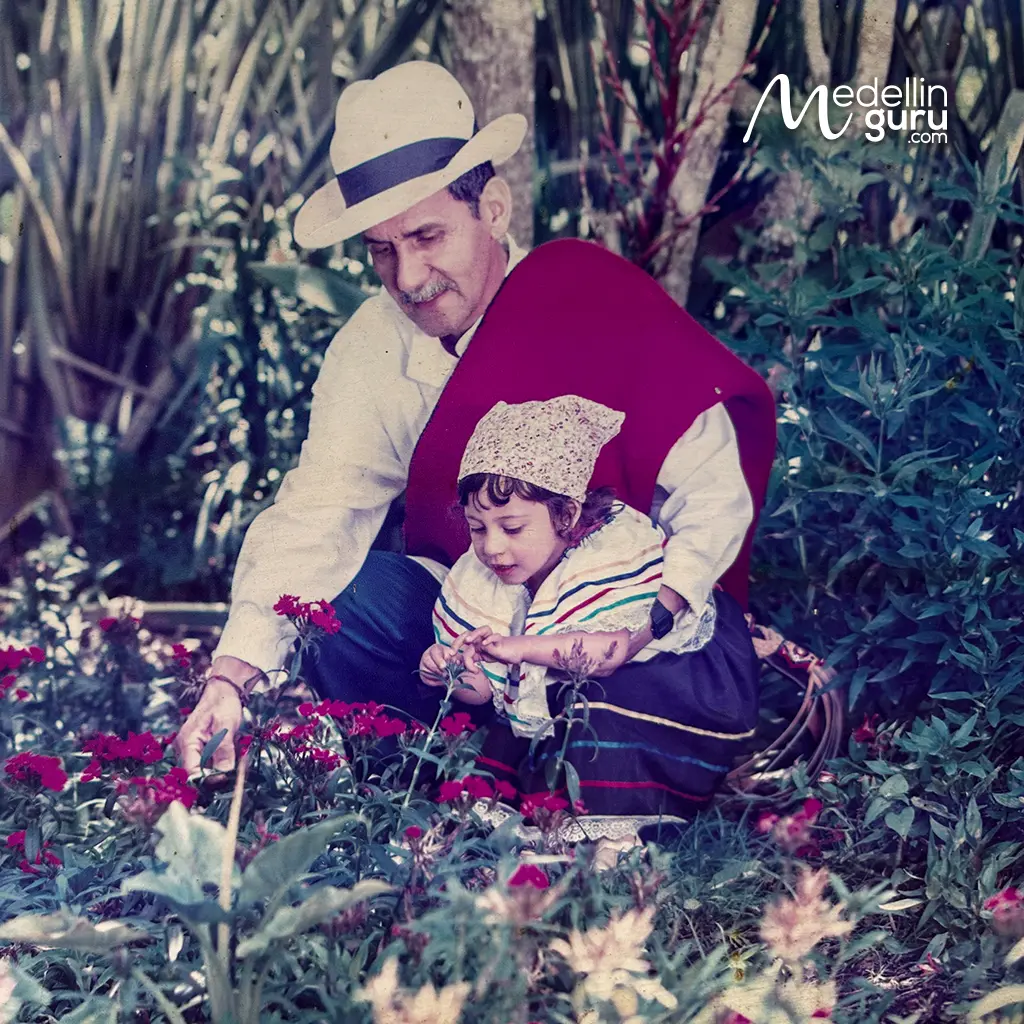
- Abuela Sarito’s eldest grandson, Guillermo, now manages the farm
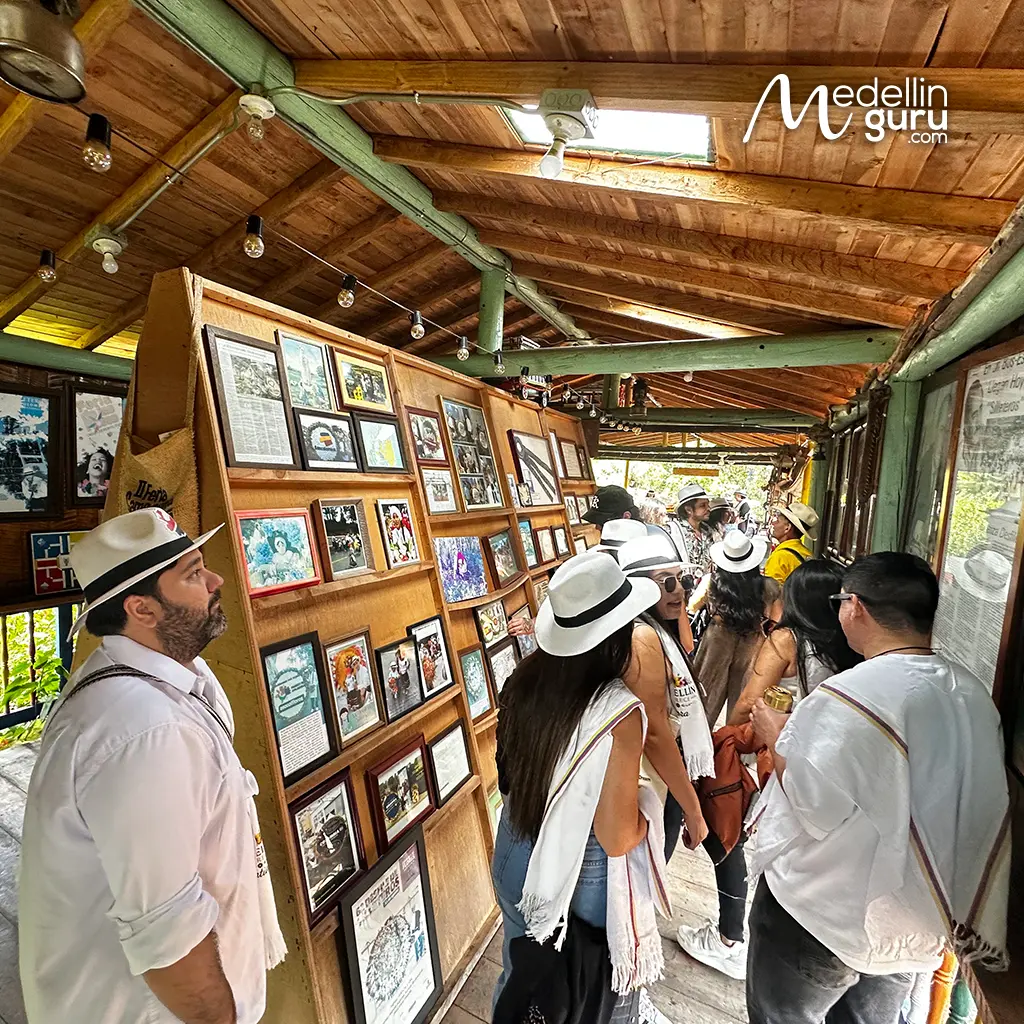
- Awards received by Abuela Sarito Farm for its silletera heritage
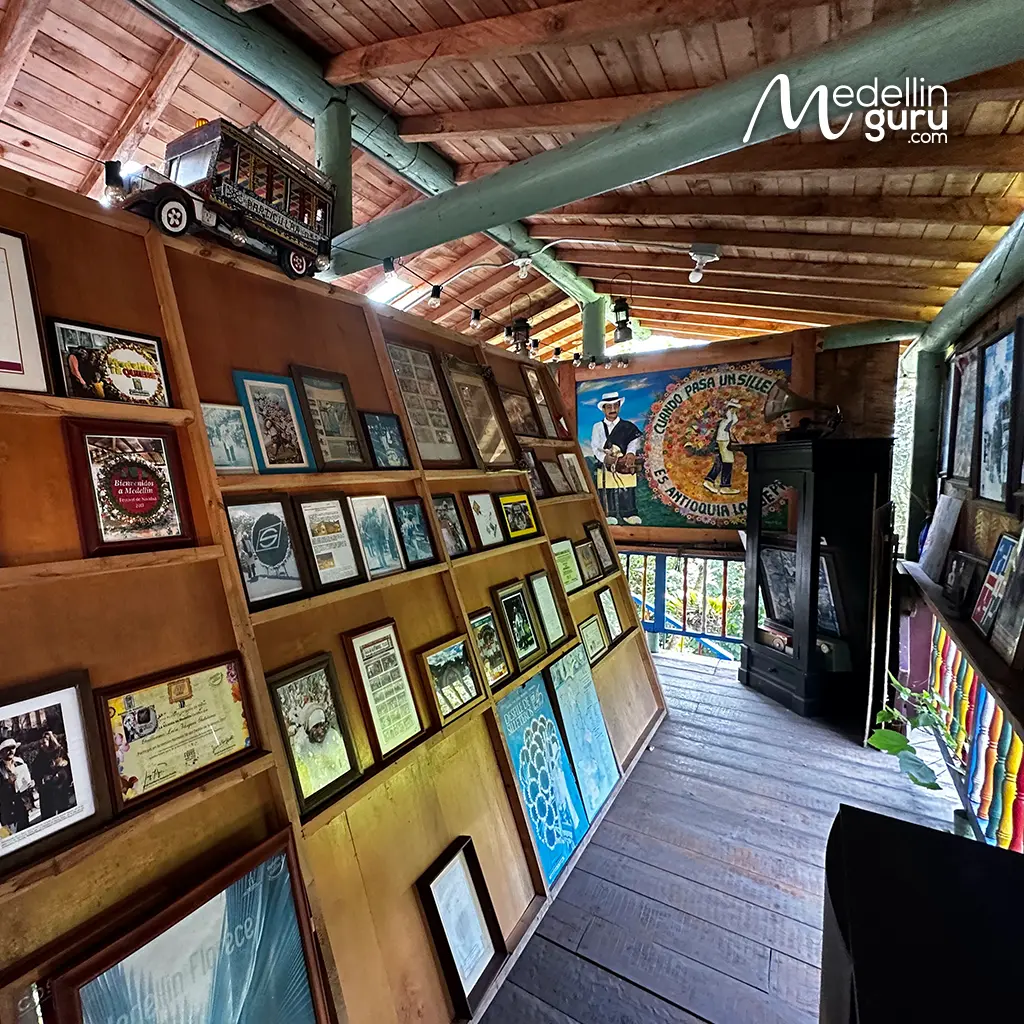
- Don Guillermo, representing the silletera farm, has shared silletera culture in over 10 countries
Since 2010, the Abuela Sarito Silletera Farm—led by Abuela Sarito and now continued by her family under the direction of Guillermo León Vásquez (Parade silletero and native of Vereda Mazo. He is the eldest son of the Vásquez Gutiérrez family, and works as a forest ranger )—has created diverse spaces and cultural offerings for locals and visitors alike. You will find that they preserve the Silletera tradition not only through flower cultivation but also by safeguarding an ancestral way of life.
Through their collection of ancient utensils, tools, antiques, photographs, and artifacts that brought Santa Elena to life and supported hundreds of families in this craft, they have transformed the farm into a museum of great regional significance, which will allow you to gain a glimpse into how Antioquian families lived in Santa Elena nearly a century ago, as an essential and privileged way to enrich your Medellín Flower Festival experience.
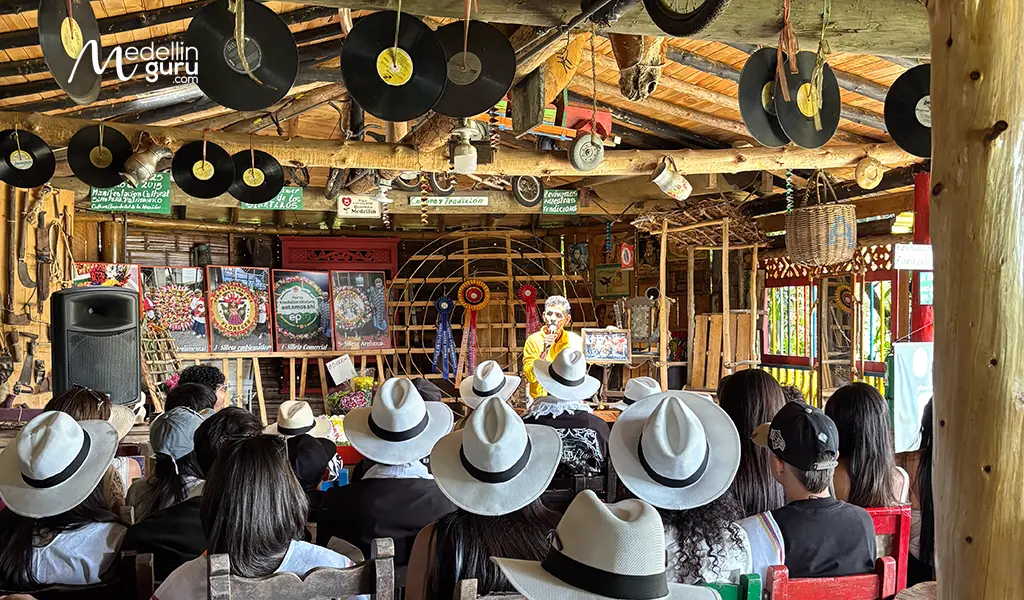
Don’t miss the chance to experience the Medellín Flower Festival to the fullest, getting to know not only the silletera tradition but also enjoying the official schedule that Alcaldía de Medellín has arranged for August: concerts, cultural gatherings, local experiences, local cuisine, and all the blooming, colorful, and joyful atmosphere that the festival inspires in the city.
What is the Medellín Flower Festival Experience provided by Abuela Sarito Silletera Farm?
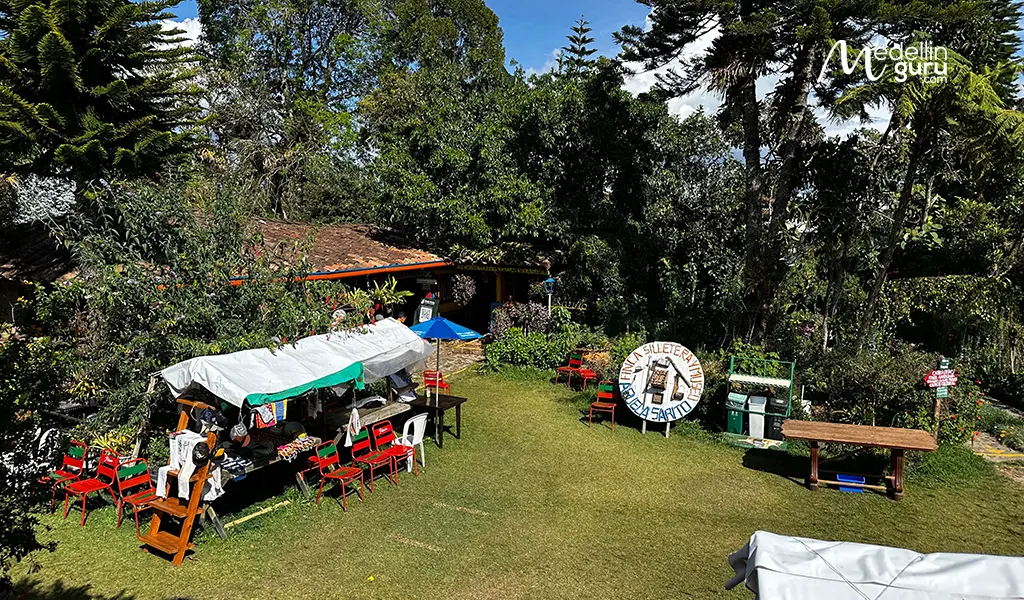
At the Abuela Sarito Silletera Farm and Museum, they offer spacious facilities designed to transport you back in time. You can explore over 400 historical artifacts and their traditional uses, wander through their beautiful gardens, visit their unique rammed-earth chapel, and walk along an ecological trail.
You can immerse yourself in the Silletera experience by learning how to craft a commercial silleta, or enjoy the vibrant atmosphere with live music or a DJ playing tropical rhythms. With parking available for cars and buses, they provide everything needed for a comfortable visit.
As a traditional family, their mission is to celebrate and preserve the territory’s natural heritage and the rich Silletera culture by living properly everything they offer:
Flower Gardens
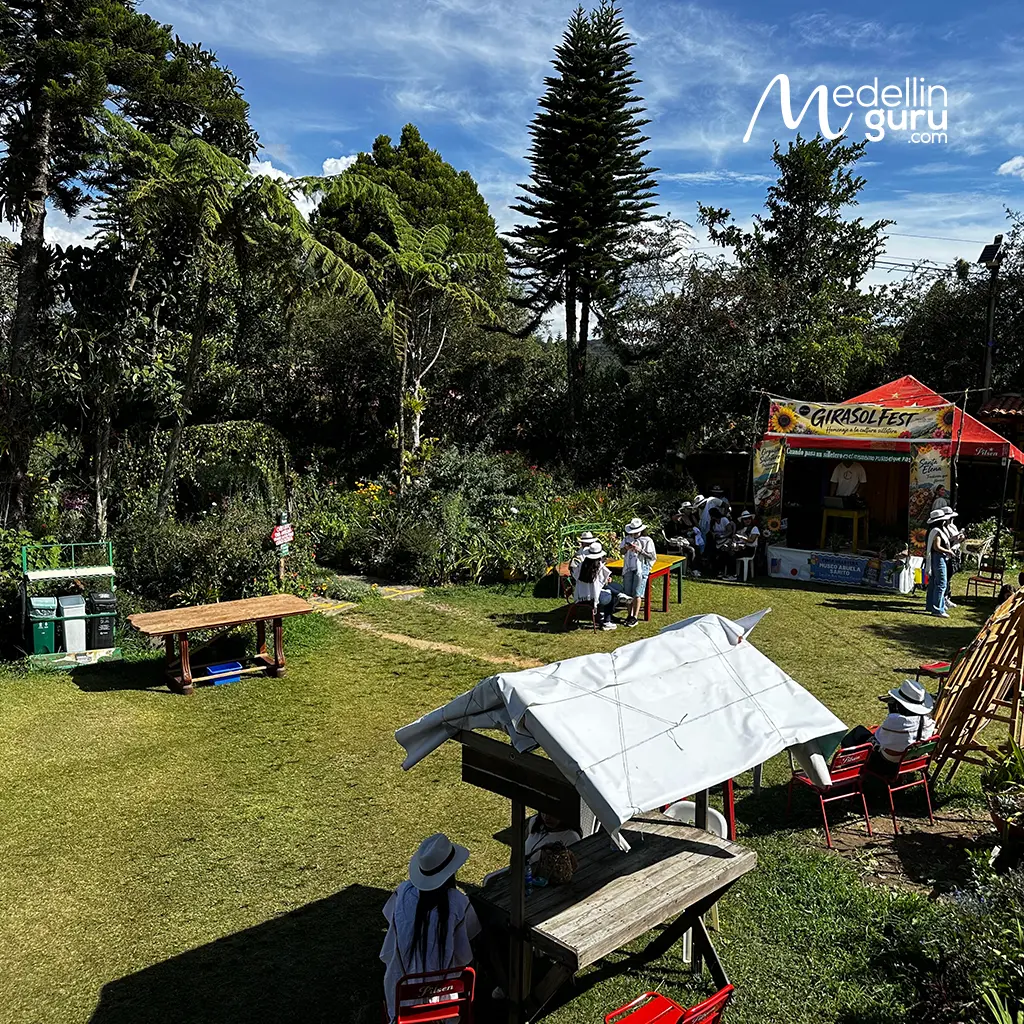
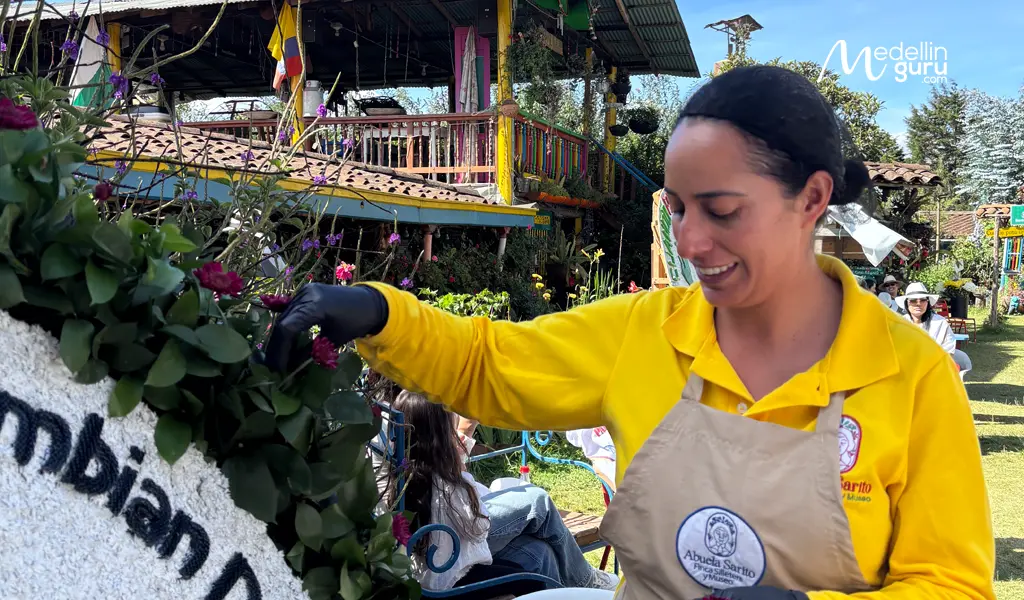
You will find extensive flower crops and gardens, carefully cultivated year-round to ensure visitors can enjoy them in any season. These gardens showcase the vast natural heritage of Santa Elena, featuring a wide variety of blooms including siemprevivas, star of bethlehem, goldenrod, calla lilies, pansies, dahlias, gladioli, poinsettias, cockscombs, hydrangeas, agapanthus, alstroemeria, sunflowers, carnations, chrysanthemums, daisies, pompons, anthuriums, and orchids.
These vibrant displays are natural magnets for pollinators such as butterflies, hummingbirds, migratory birds, and bees, all of which are fundamental to the farm’s ecosystem.
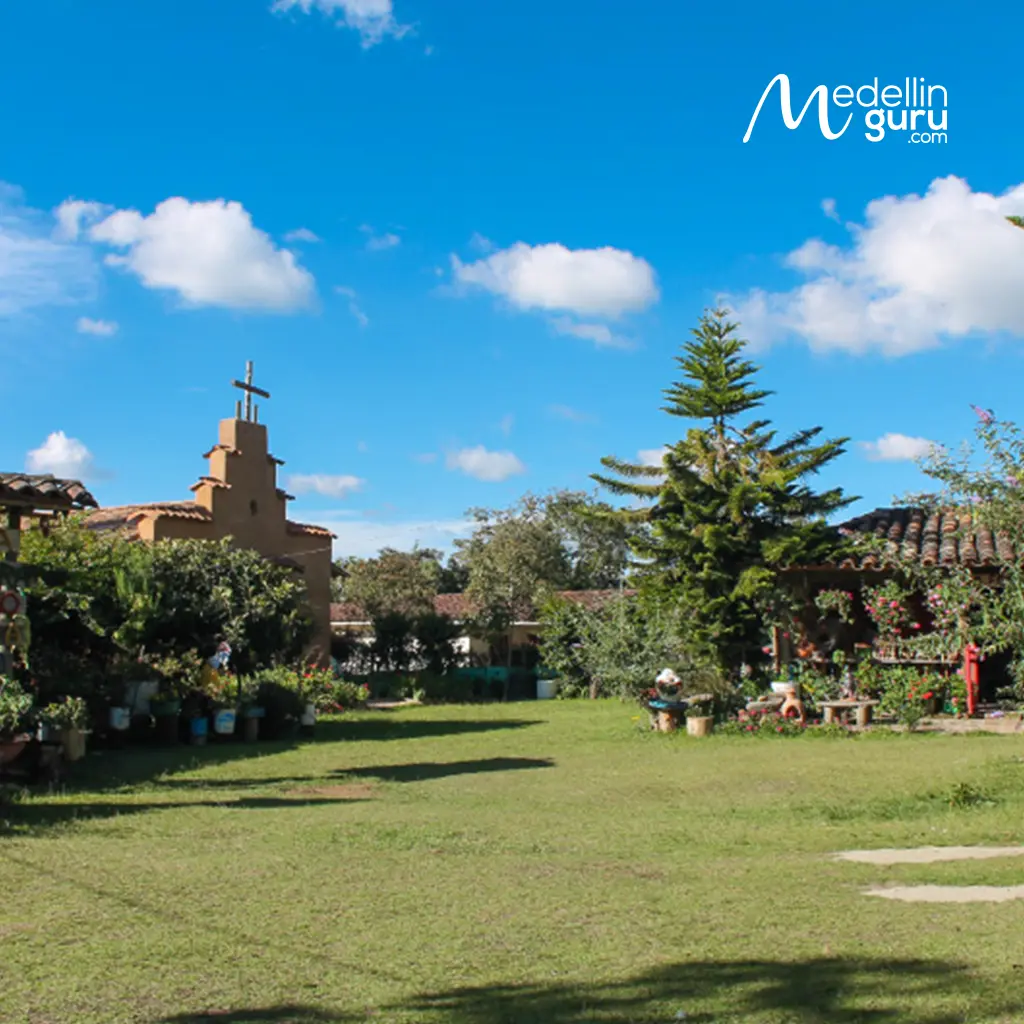
- Abuela Sarito Silletera Farm features extensive rural grounds
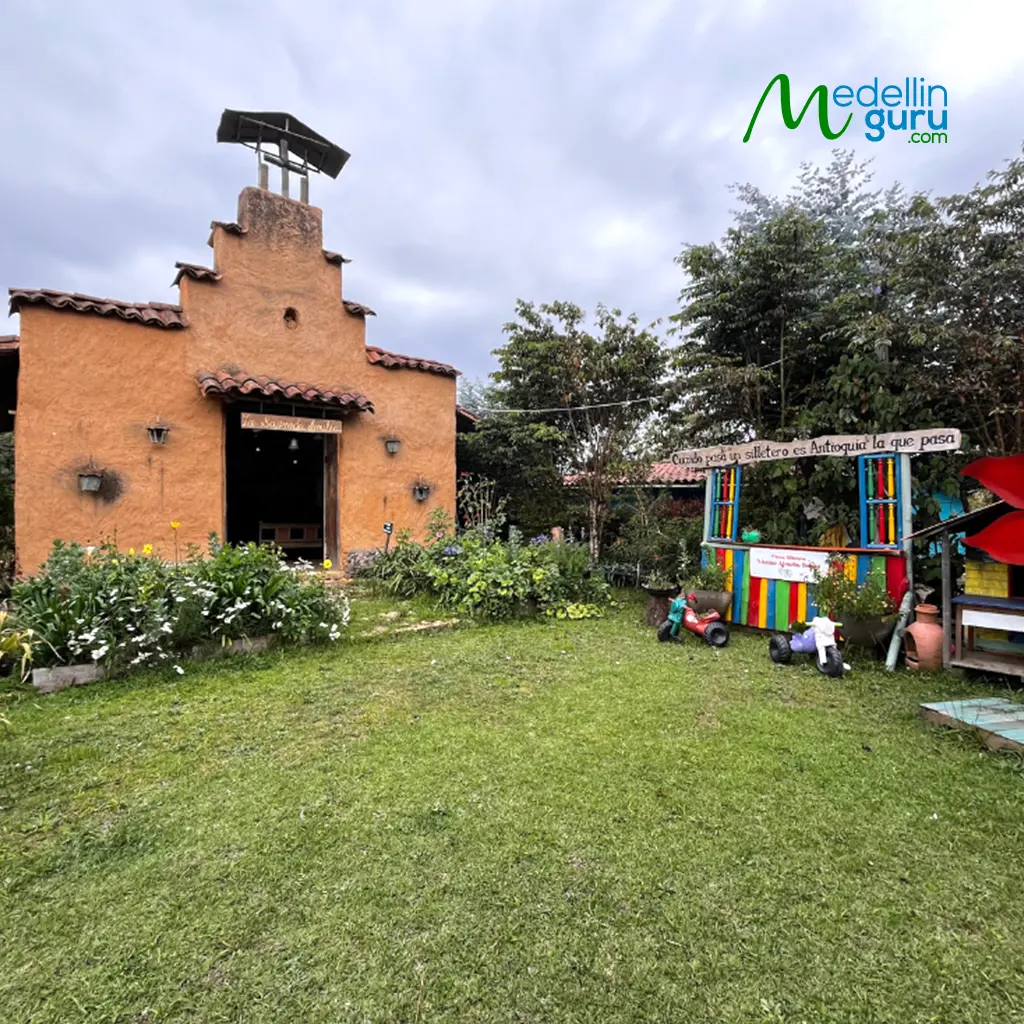
- Flowers are part of the daily landscape at Abuela Sarito Silletera Farm. Photo by COSSE
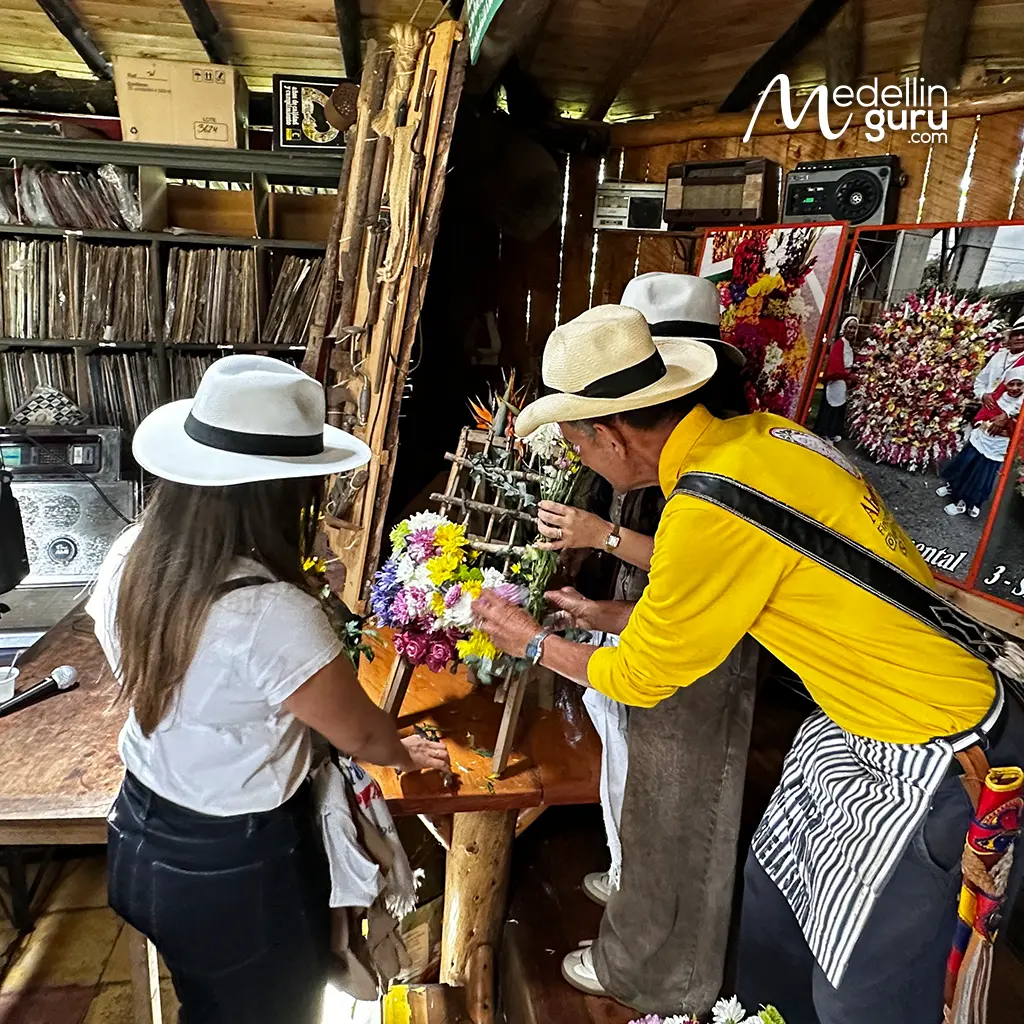
- Hand-crafted silleta using native Santa Elena flowers at Abuela Sarito Farm’s interactive workshop
Traditional Antioquian Fonda
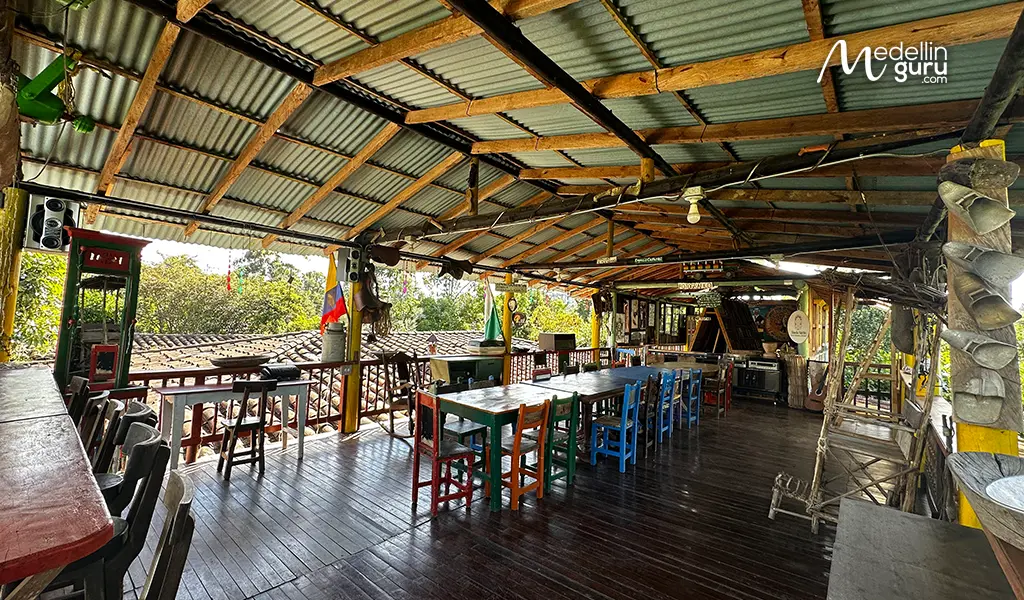
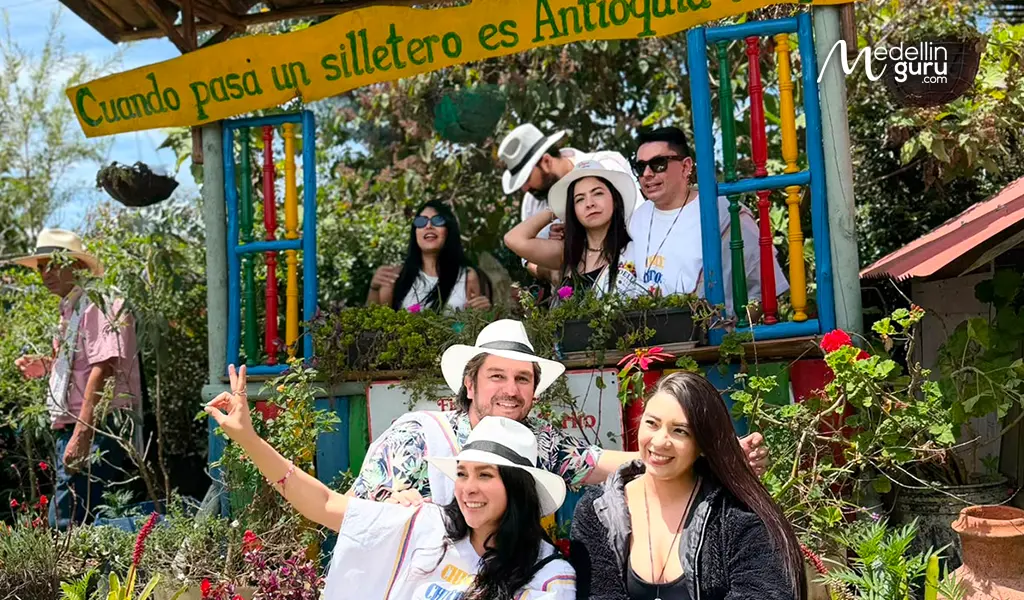
You will find spaces such as the fonda, a traditional Antioquian tavern designed to recreate the atmosphere in which locals once gathered to celebrate, converse, and spend time together. Here, you can listen to the family’s silletero story, learn about the craft, and even try your hand at creating your own silleta. Additionally, they provide traditional costumes for photos in their beautifully themed “Lovers’ Balcony” (Balcón de los Enamorados).
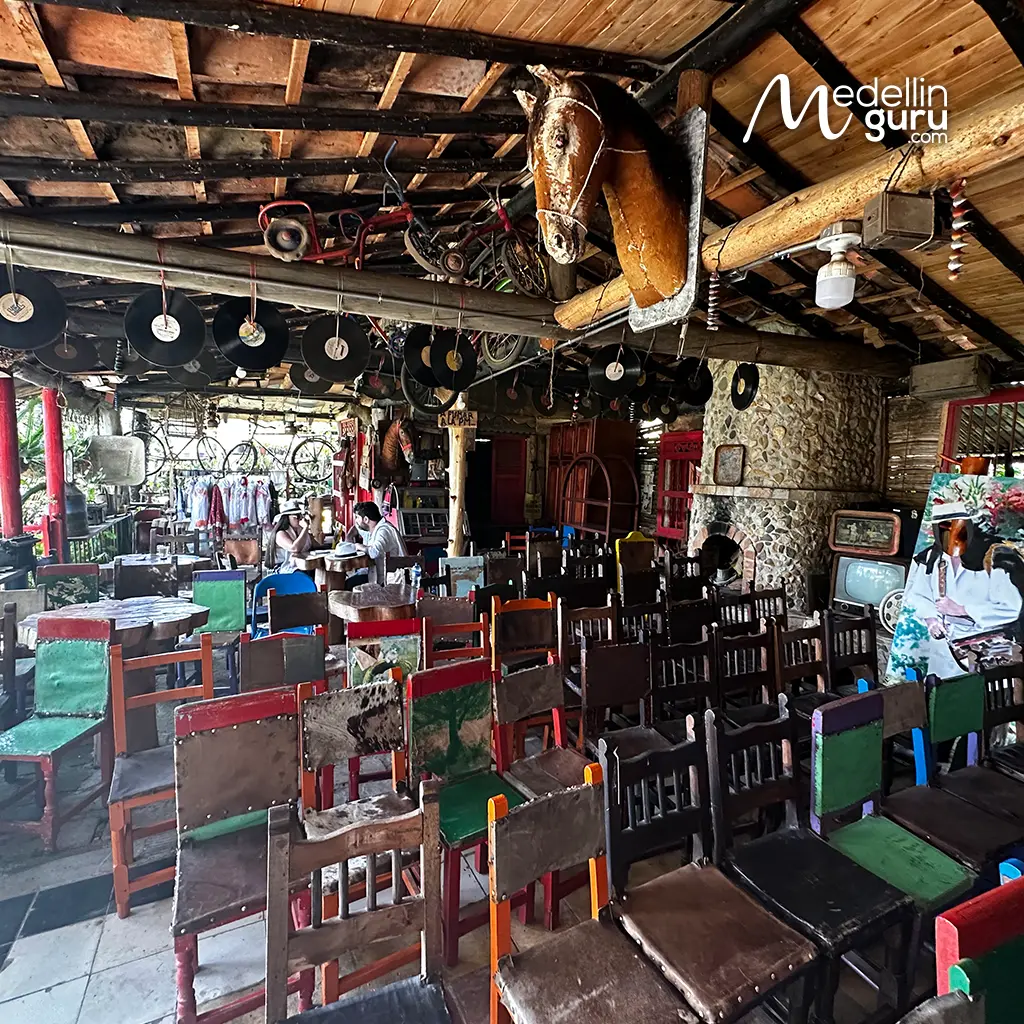
- A fonda is a traditional cultural space recreating old Antioquian taverns
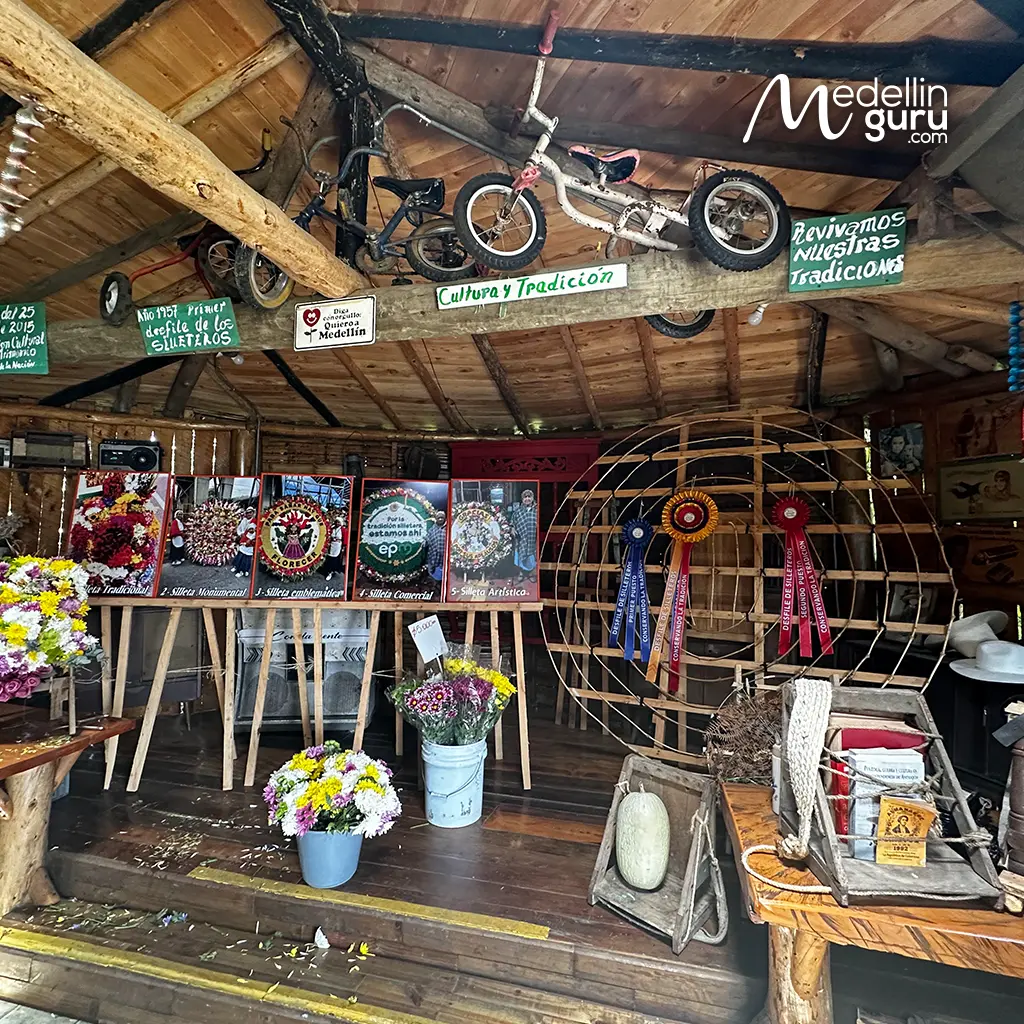
- Traditional taverns where past generations gathered to socialize to the rhythm of music
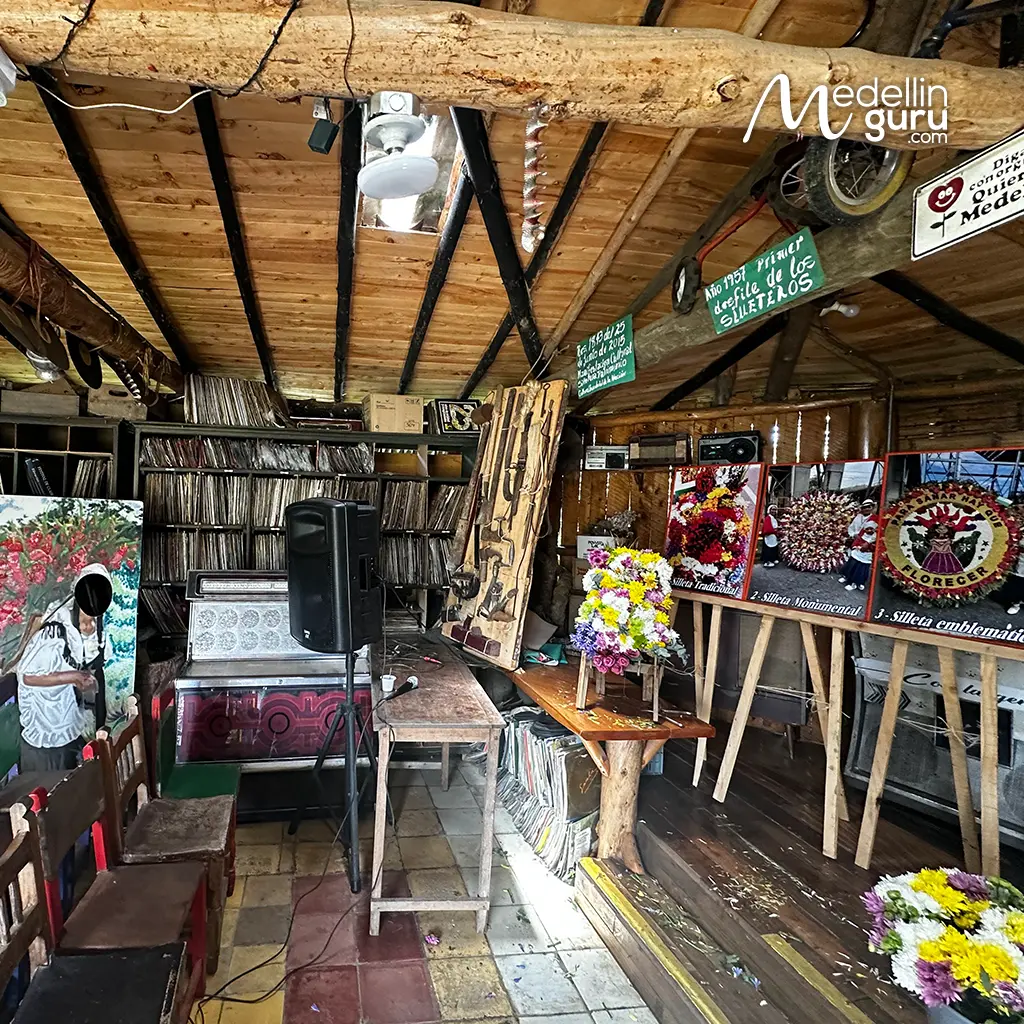
- Fondas are deeply identifying cultural elements of the rural areas in the Antioquia department
Replica of a Traditional Chapel
You will find a replica of a traditional rammed-earth chapel, designed to resemble Catholic chapels and churches of the past. This space highlights the craftsmanship, techniques, materials, and ancestral wisdom of those who built the original peasant homes, serving as a tribute to an essential element of our rural and silletero heritage.
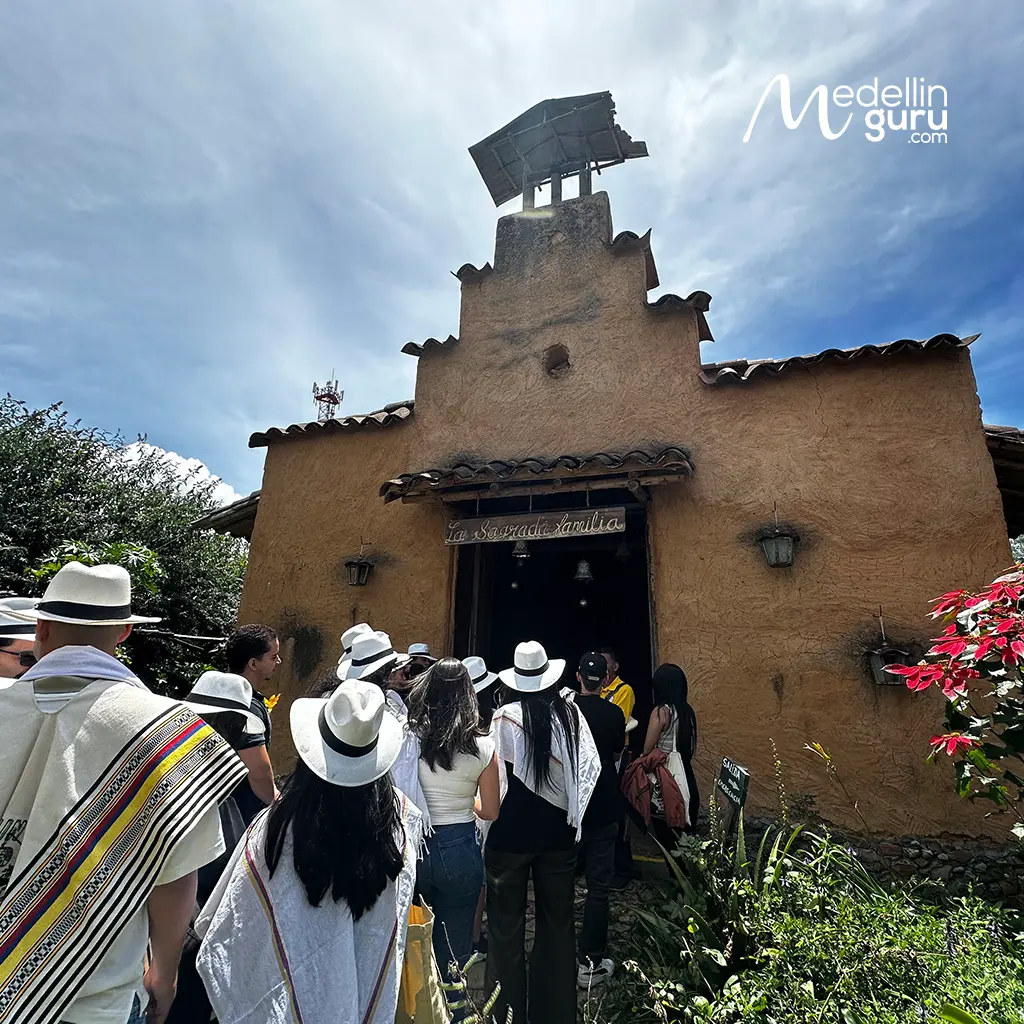
- The old chapels in rural areas were made of rammed earth, wattle and daub, and mud
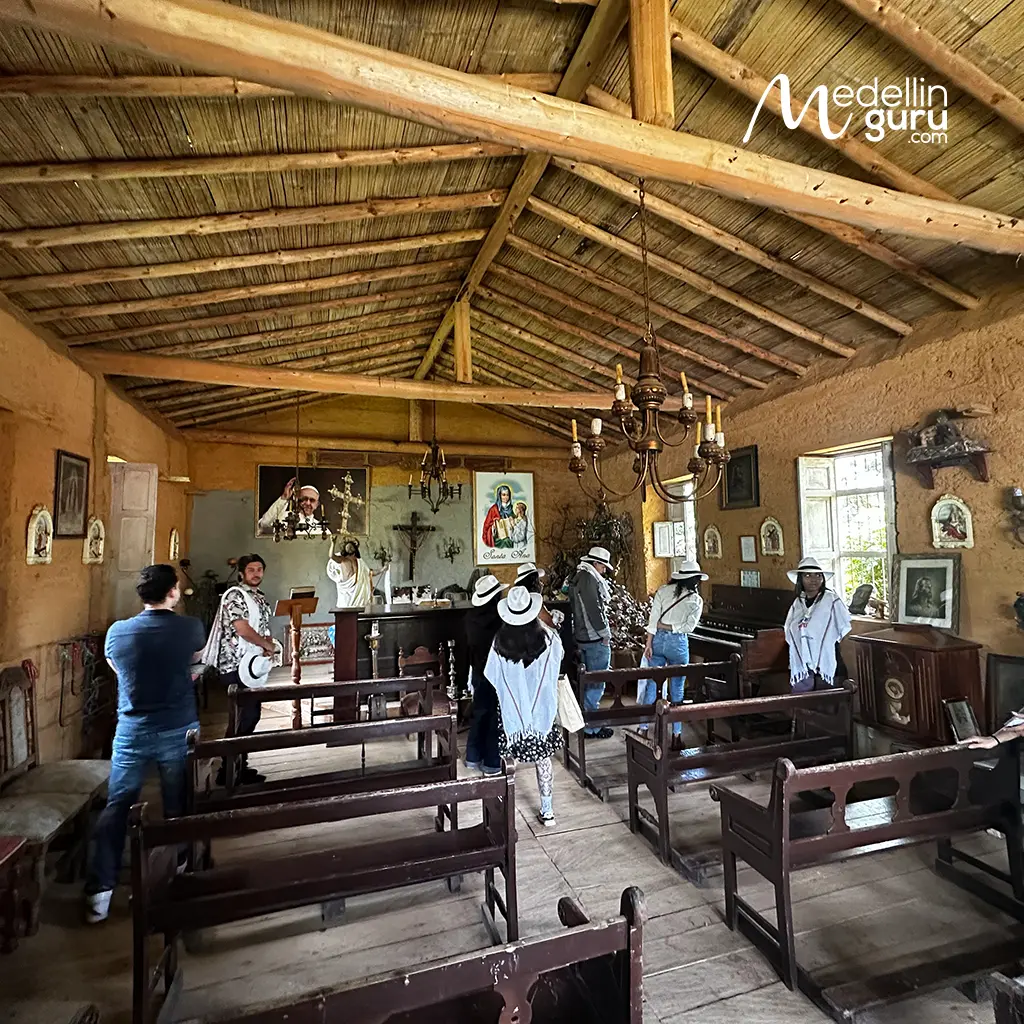
- Faith is also a very identity-defining and essential element within the silletera and peasant culture
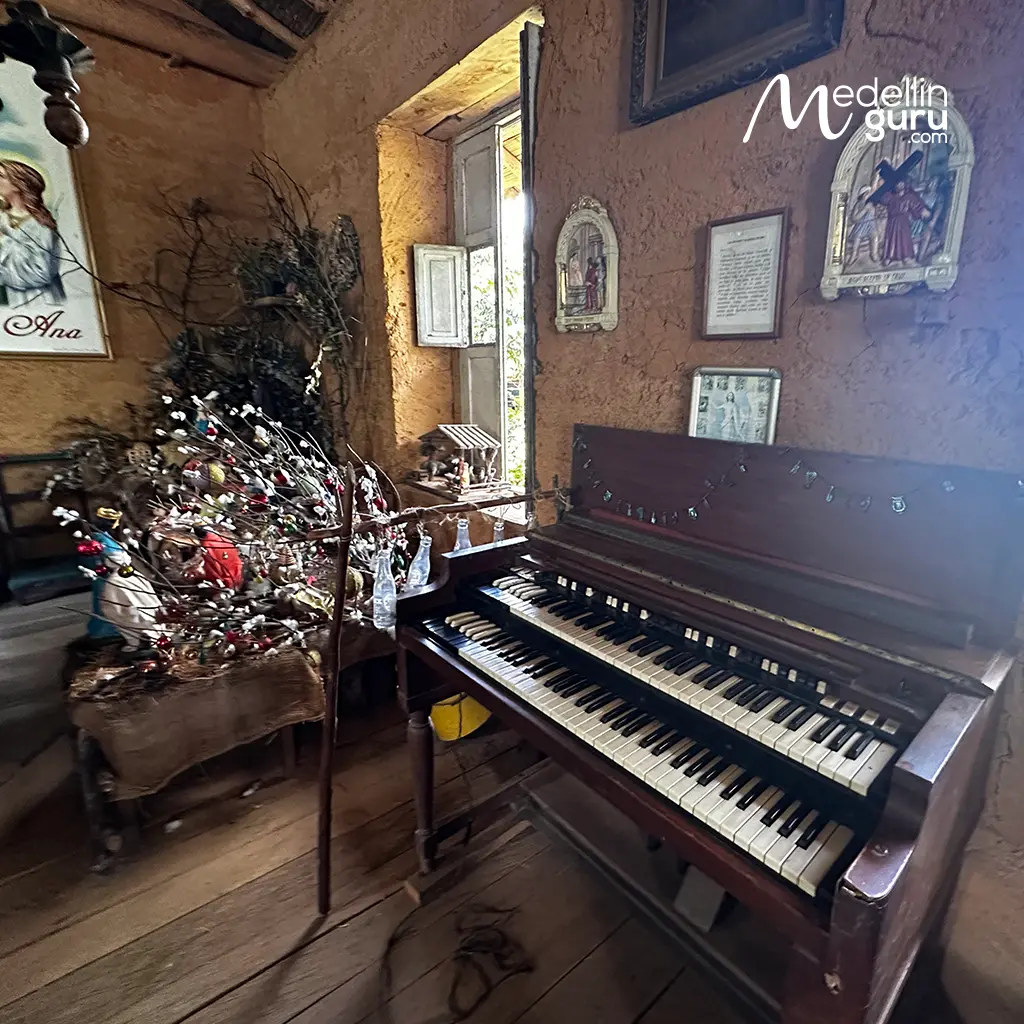
- In this replica of a chapel, you will find various religious elements and symbols from that era
Familiar Museum
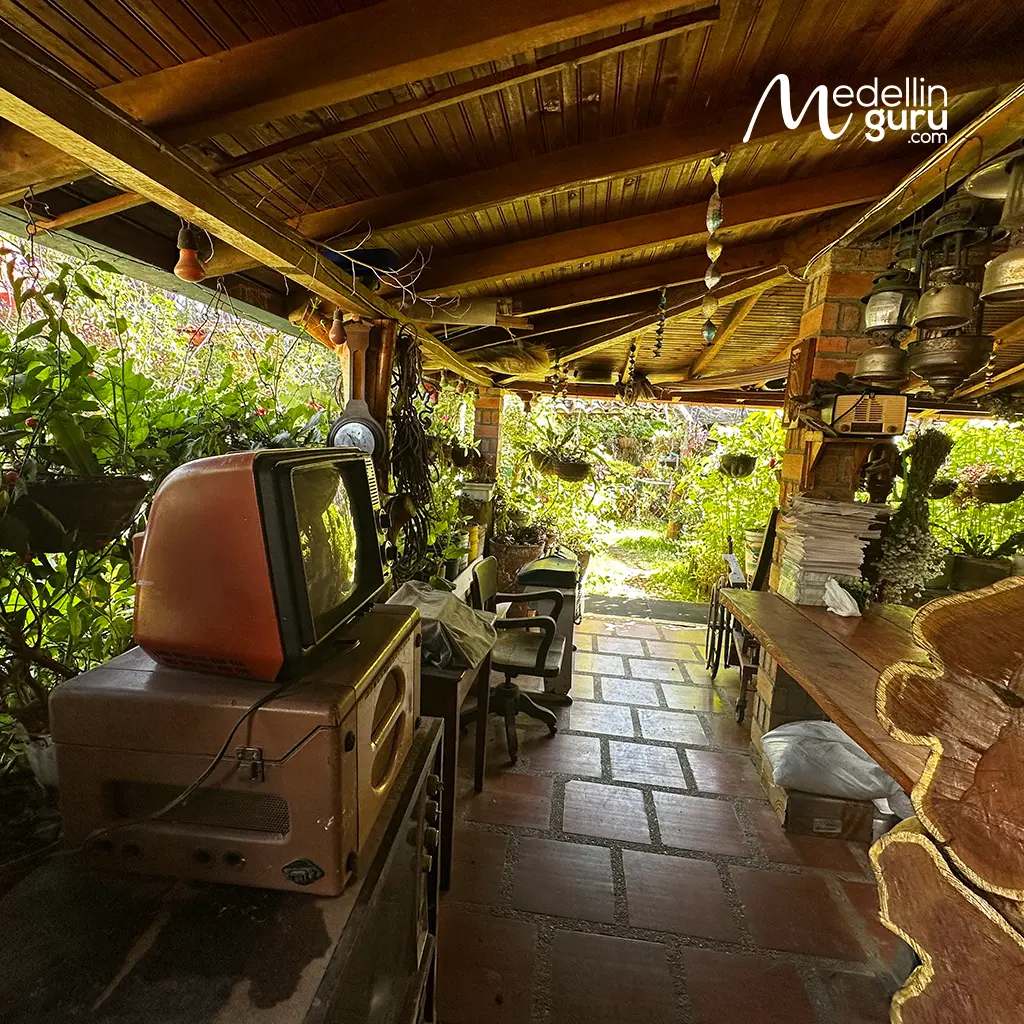
Displayed throughout the house and along its corridors is a collection of over 400 historical artifacts—including traditional tools, utensils, pottery, radios, typewriters, vinyl records, and paintings—that offers a glimpse into the peasant lifestyle of the past. You will also find the family’s photographic museum, which preserves pivotal moments in silletera history and highlights the experiences and individuals who have shaped the legacy of Abuela Sarito’s family.
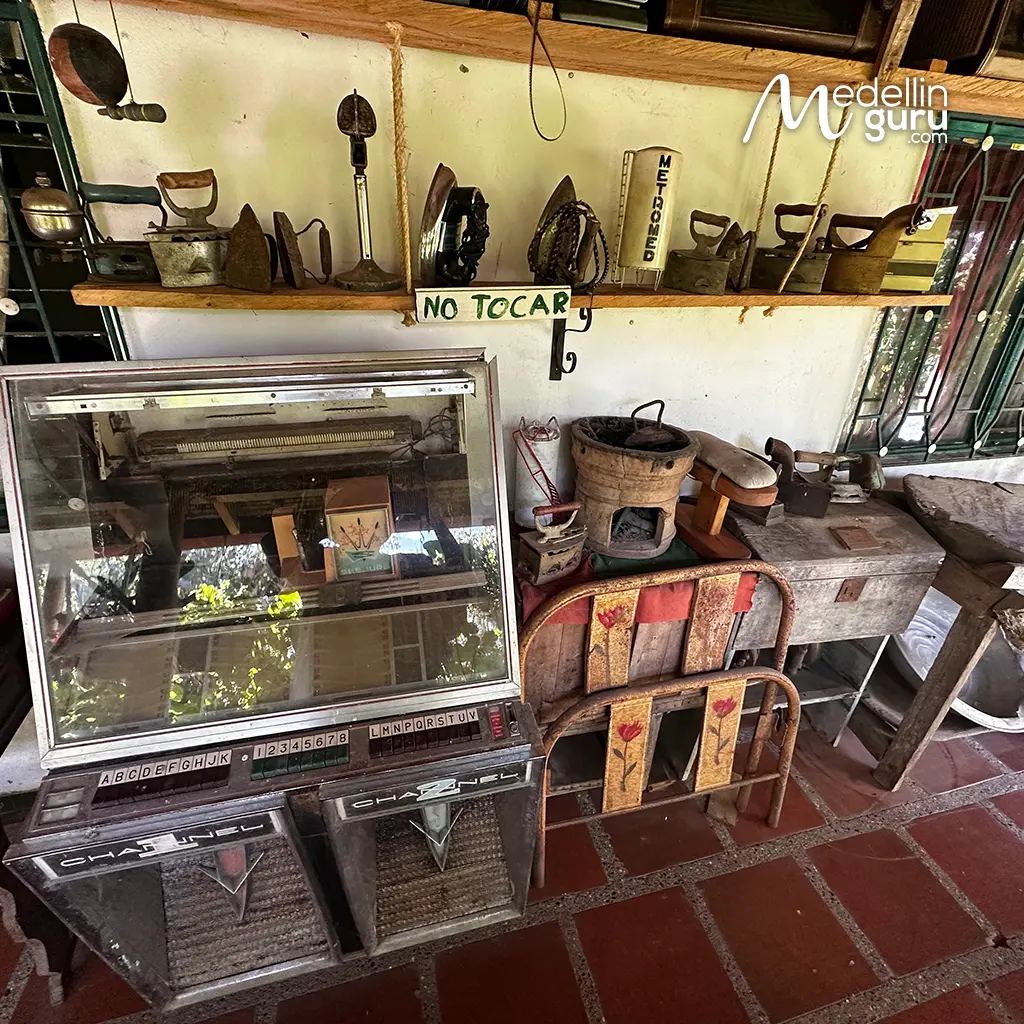
- Work tools passed down through generations
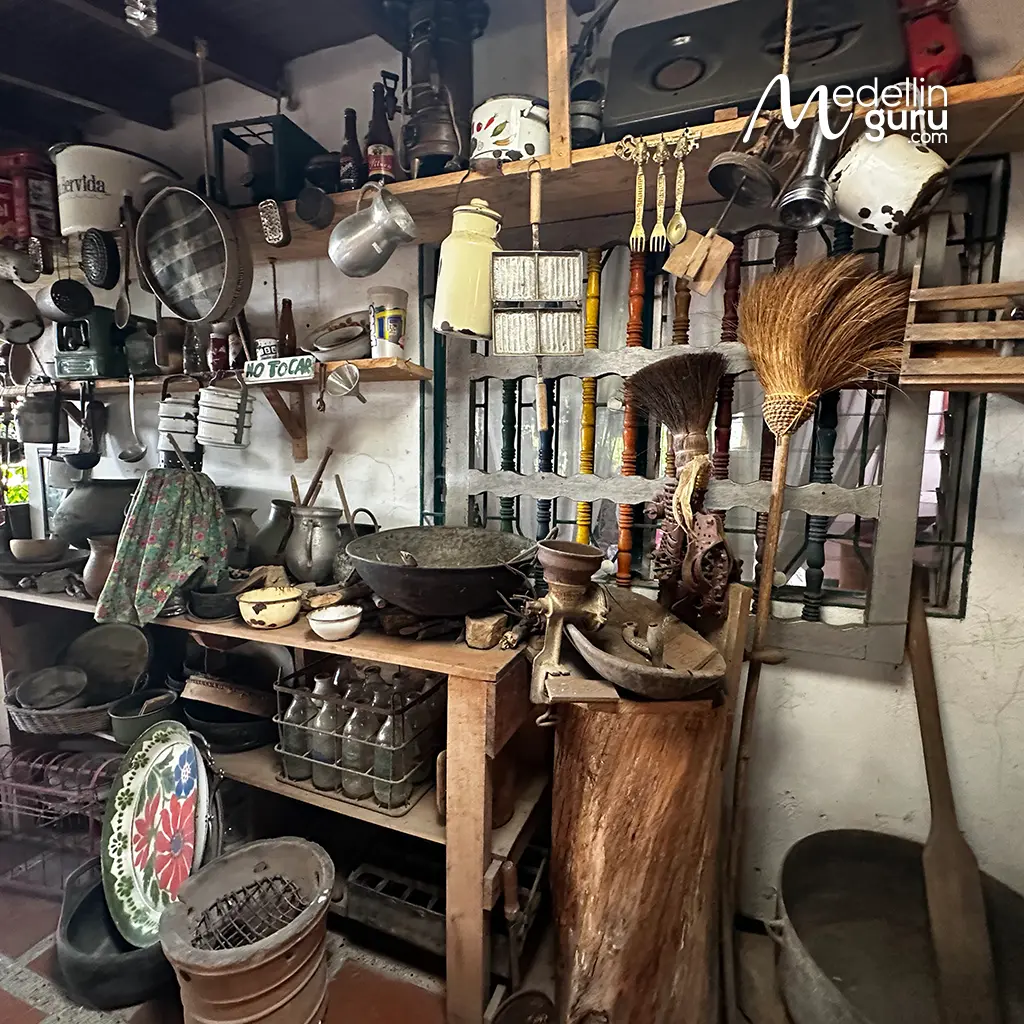
- Elements and utensils typical of an old Antioquian kitchen
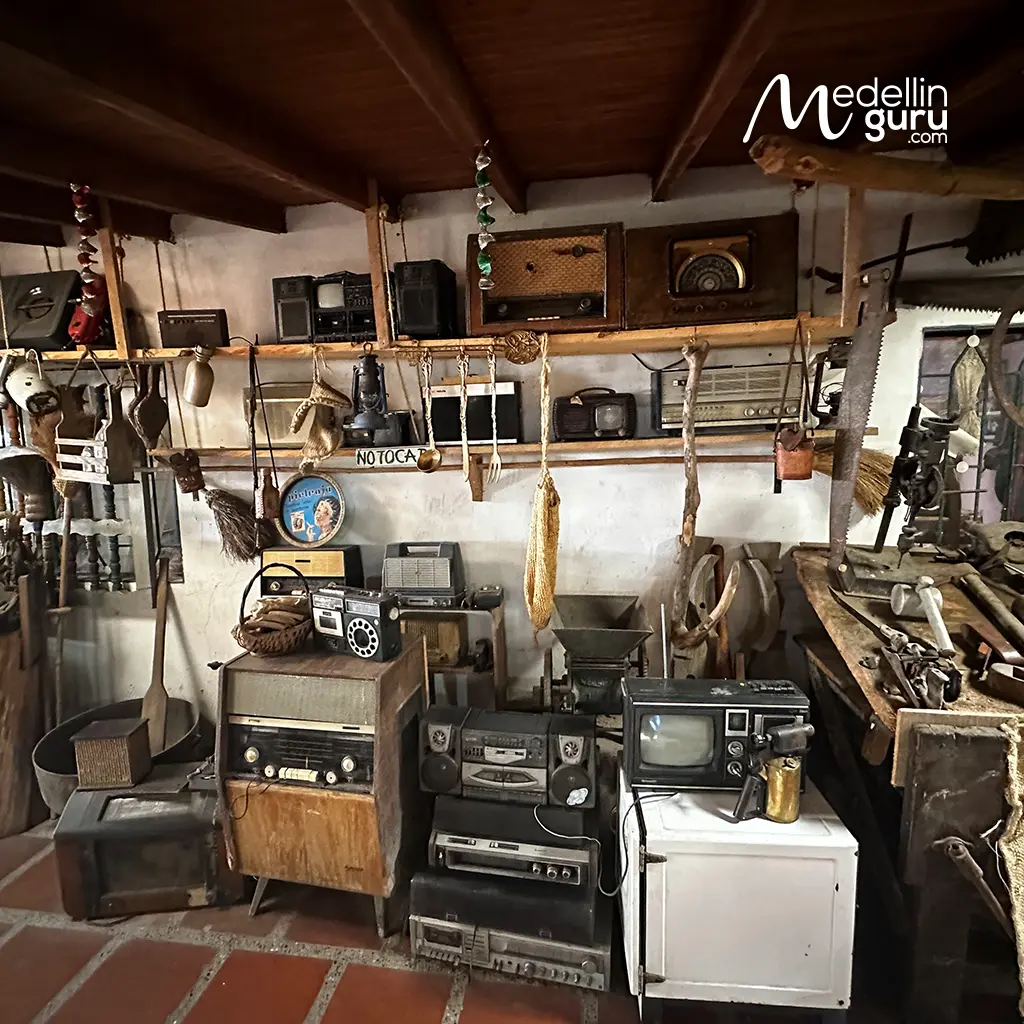
- Part of the historical collection that includes radios and work tools
Typical Restaurant
The Abuela Sarito Silletera Farm and Museum features a traditional kitchen that honors the culinary methods of Santa Elena’s early settlers. Here, authentic Antioquian dishes—such as aguapanela, mazamorra, sancocho, hearty bean stews, and arepas with fresh cheese—are prepared over a wood-fired stove. This traditional cooking method imparts a unique, authentic flavor, offering visitors a true taste of the local heritage during the Medellín Flower Festival.
Ecological Trail
Located in a prime area of Santa Elena—the heart of the countryside—the farm benefits from a rich natural ecosystem. They offer an ecological trail near the Silletera farm, allowing visitors to explore the local forests, diverse tree species, and regional flora and fauna. Drawing on years of experience as a forest ranger, their manager, Guillermo León Vásquez, has curated this trail to ensure it is both safe and a perfect way to admire the region’s stunning rural beauty.
- The silletera farm has various exits that have marked ecological trails
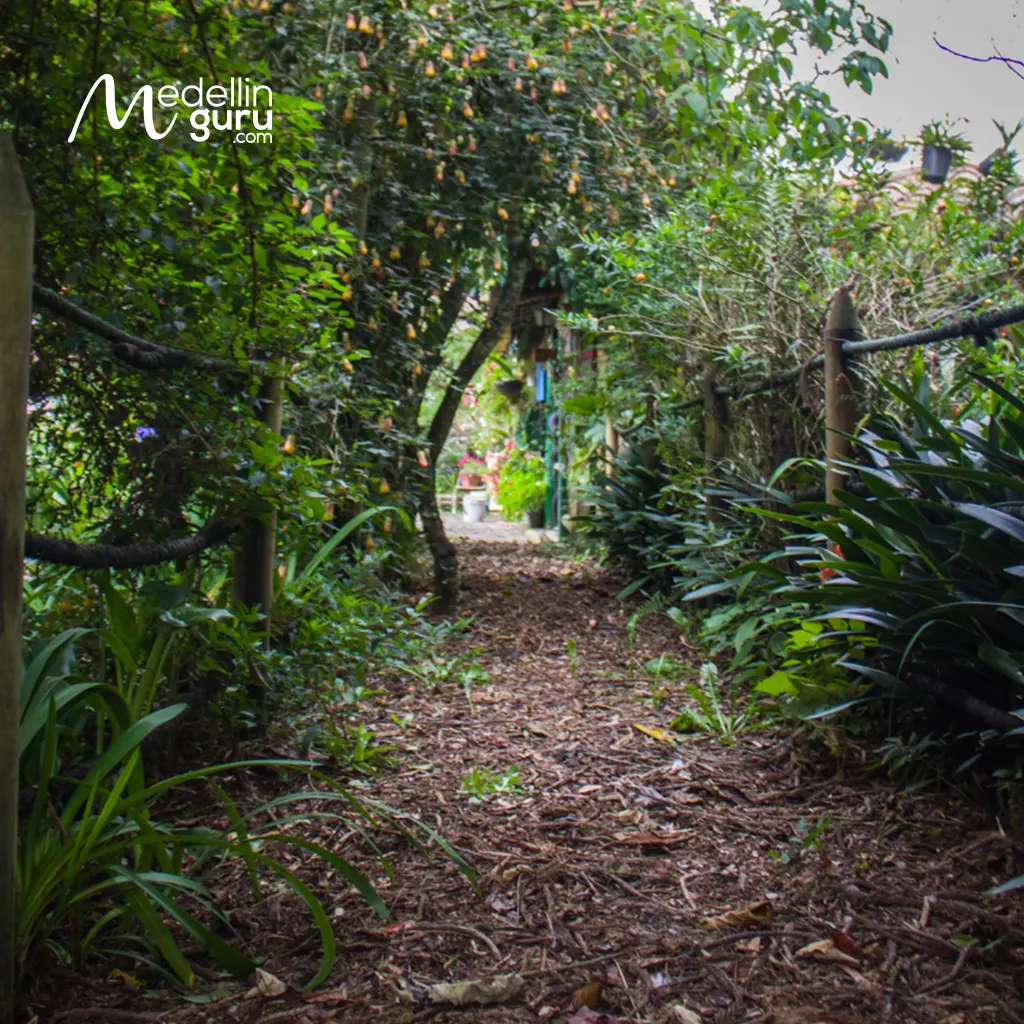
- The ecological trails allow you to know the native fauna and flora of the region
- Nature completely surrounds every corner of this silletera farm, ensuring direct and privileged contact with nature
Ample Parking Lot
The farm features ample parking, so you can park with peace of mind. It is also easily accessible by public transportation, which drops you off right at the entrance, just 15 minutes from the Parque Arví Metro Cable station.
As a year-round host for the Medellín Flower Festival, the Abuela Sarito Silletera Farm and Museum utilizes its beautiful, natural setting to welcome a wide range of guests. They cater to family gatherings, corporate retreats, workshops, and meetings, as well as special celebrations such as weddings and birthday parties. They also welcome hikers and other visitors looking to enjoy their unique environment. All activities can be tailored to meet your specific needs.
There is so much that Medellín has to offer during August at the Flower Festival, and we don’t want you to miss a single detail. Access the official schedule provided by Alcaldía de Medellín so you can experience the Flower Festival to the fullest and with authentic Paisa flavor.
How to Get to Abuela Sarito Silletera Farm?
The Abuela Sarito Silletera Farm and Museum is located in the rural area east of Medellín, within the township of Santa Elena, specifically in the Mazo district. The journey from Medellín takes approximately one hour, depending on your starting location. Below are various options you can consider to travel to this iconic place and enjoy the Medellín Flower Festival.
Private Car or Rideshare Apps
The trip takes between 45 and 55 minutes from the city center or El Poblado. There are two main access routes:
Santa Elena Road (Main Route)
Drive up through Buenos Aires (an extension of Calle 49 / Ayacucho). Upon reaching the central area of Santa Elena (near El Silletero restaurant), turn left towards Vereda Mazo and Parque Arví. This route does not include tolls along the way.
Vía Las Palmas Route
This path uses the Túnel de Oriente, which requires a toll. However, it typically offers better traffic flow and connects directly to the road leading to Santa Elena, often making it slightly faster than the main route.
widget maps:
Public Transportation
Depending on your route, the journey typically takes between 1 and 1.5 hours. There are two main ways to reach the farm using public transportation.
Metro + Metrocable System (The most scenic route)
Take Metro Line A to Acevedo Station, transfer to Line K to Santo Domingo Station, and then board Line L (Metrocable Arví), which offers a stunning view of Medellín’s rural and forested areas. Get off at Arví Station; from there, you can either walk or take a local bus (colectivo) passing through Vereda Mazo, which is no more than 15 minutes away.
Trasancoop Buses
You can board these in downtown Medellín at the Santa Elena bus stop located near La Placita de Flórez (Carrera 41 and Calle 50). These buses depart every 30 minutes and go through every Santa Elena vereda. This route will drop you off very close to the farm’s entrance. If you want to make sure the bus goes directly to Vereda Mazo, you can contact the company by clicking here.

What are some tips to fully experience the Medellín Flower Festival at Abuela Sarito Silletera Farm?
To ensure the best experience at Abuela Sarito during the Medellín Flower Festival, and at any time of the year, it’s essential to check prices, contact details, and transport routes, and to keep weather and ecosystem conditions in mind. Here are some tips for visitors who want to gain a deeper understanding of the rich silletera heritage and local peasant traditions.
-
Social Media and Websites
To learn about their services, stay updated on announcements, and get in touch, follow Finca Silletera y Museo Abuela Sarito on Instagram. You can also find reliable contact information on the COSSE website.
-
Book in advance
It is essential to make a reservation before your visit. You can schedule your visit by clicking here.
-
Recommended transportation
Please consider the previously mentioned routes. The best way to reach the farm while also enjoying a unique experience on the Metro system is to take the Metrocable and continue your journey to the farm from there by bus.
-
Comfortable Clothing
Santa Elena is a rural township of Medellín with a cold, often rainy climate. It is best to wear comfortable clothing and sturdy shoes suitable for walking in nature. We also recommend bringing a jacket or extra layers, as the average temperature in the area is 13°C (55°F).
-
Stay Vigilant
Always remain aware of your surroundings throughout your journey to the farm and while mingling with other visitors. Maintaining situational awareness is a standard, essential safety practice for any traveler. For more detailed advice, feel free to read our specialized guide on safety tips for the Flower Festival or general safety advice for any time of the year in Medellín.
-
Respect and Attitude
Please remember that all silletera farms, including Abuela Sarito, are family-run spaces dedicated to preserving local history and culture. These families take great pride in their role as silleteros and flower growers. Treating their property and heritage with respect and care is the best way to show your gratitude for the experience.
With these safety tips, you’ll be able to fully enjoy the Feria de Flores experience and not only visit Silletera Farm and the Museum Abuela Sarito, but also enjoy all the activities scheduled by Alcaldía de Medellín for these dates. Get to know them and mark your calendar as soon as possible.
The Bottom Line: Abuela Sarito: The Ultimate Medellín Flower Festival Farm Tour
When planning your visit to the Medellín Flower Festival, choosing the right experience can transform a simple sightseeing trip into a profound cultural discovery. Finca Silletera Abuela Sarito stands out as the ultimate choice for those seeking an authentic connection to the heart of Santa Elena, experiencing:
- A Profound Cultural Discovery: Move beyond simple sightseeing and gain an authentic connection to the heart of Santa Elena.
- Living History: Explore a rich heritage preserved through over 400 historical artifacts and decades of family legacy in a dedicated museum setting.
- Holistic Immersion: Experience more than just a tour; the farm provides a window into the ancestral Antioquian way of life, blending vibrant flower gardens with peaceful ecological trails.
- Authentic Traditions: From the traditional storytelling in the fonda to tasting local dishes prepared on a wood-fired stove, every element is designed to honor silletero culture.
- Year-Round Accessibility: Whether you are celebrating during the Medellín Flower Festival or visiting at any other time of year, this farm is an essential destination for those seeking to be immersed as guests rather than mere observers.